MP4 is a widely supported video format by most media players, devices, and operating systems. It uses advanced compression technology that can produce high-quality videos with smaller file sizes. This makes storing and sharing videos easier without compromising quality. If you want to download YouTube videos in MP4 format, MeowLoad is exactly what you need. Follow the simple steps below to start the download.
Step 1: Launch the App
Launch MeowLoad. It's available for macOS and Windows.
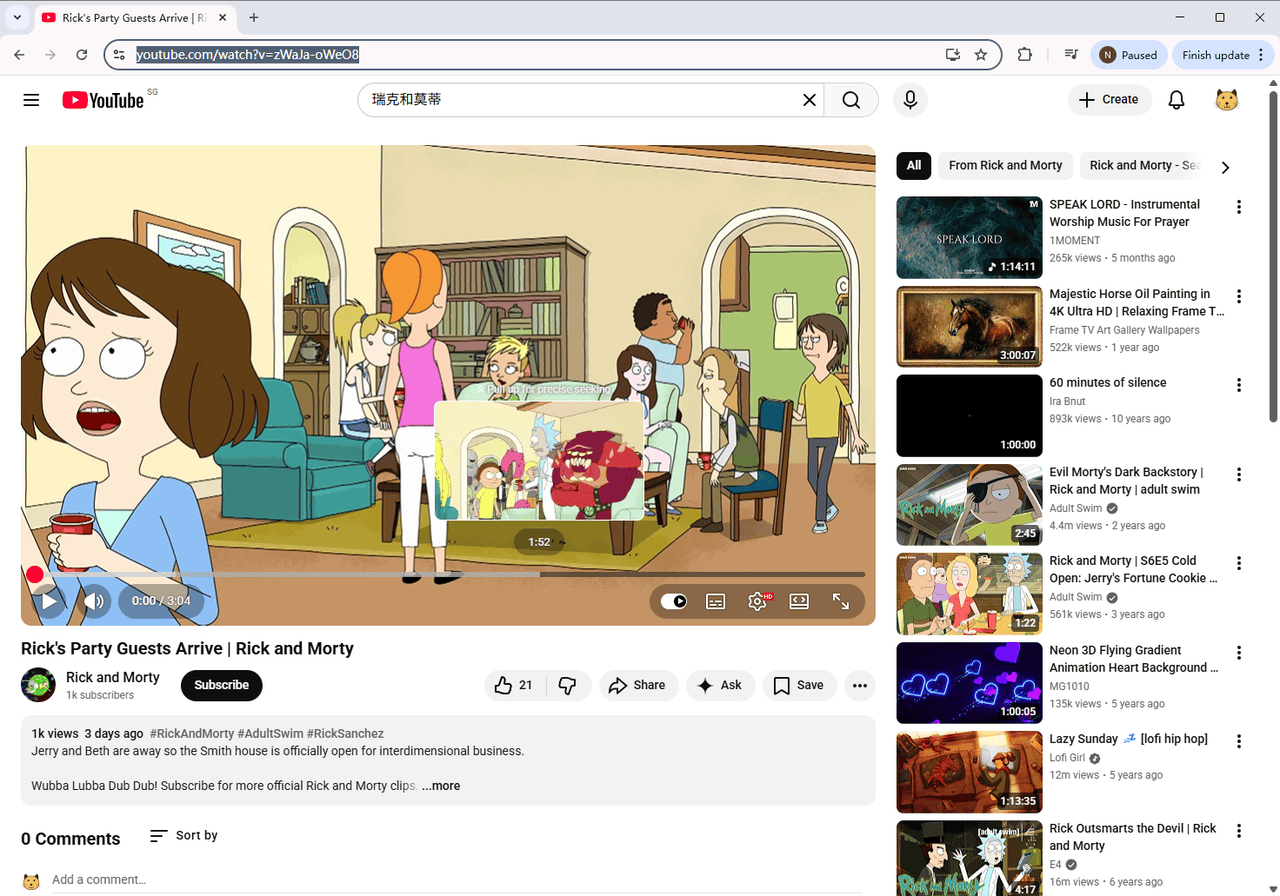
Step 2: Copy the Video Link
Copy the link of the YouTube video you want to download.
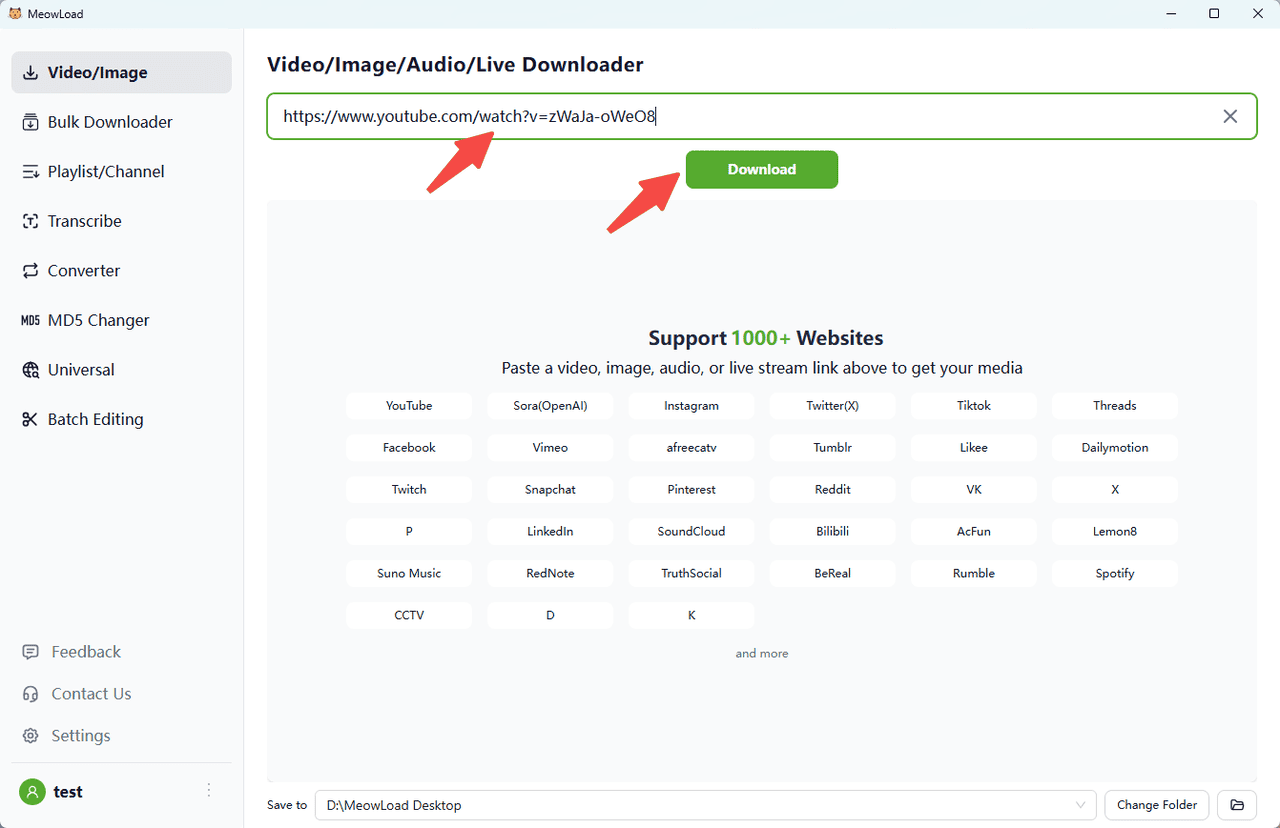
Step 3: Paste and Analyze
Paste the link, click the Download button.
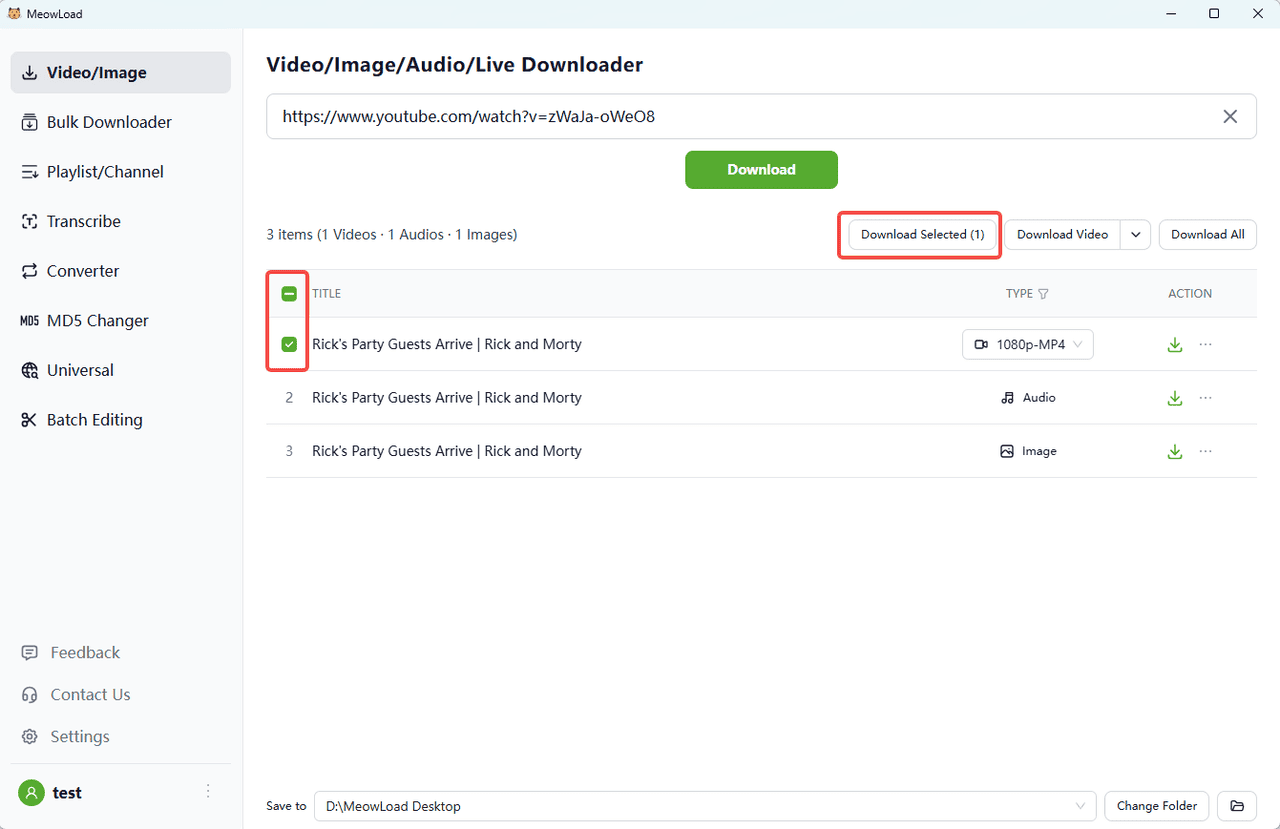
Step 4: Select and Download
Check the video item, click Download Selected. MeowLoad downloads video files in the default “MP4” format.
Step 5: Finish
Once the download is complete, click the folder icon to check out your files.