Bulk Downloader
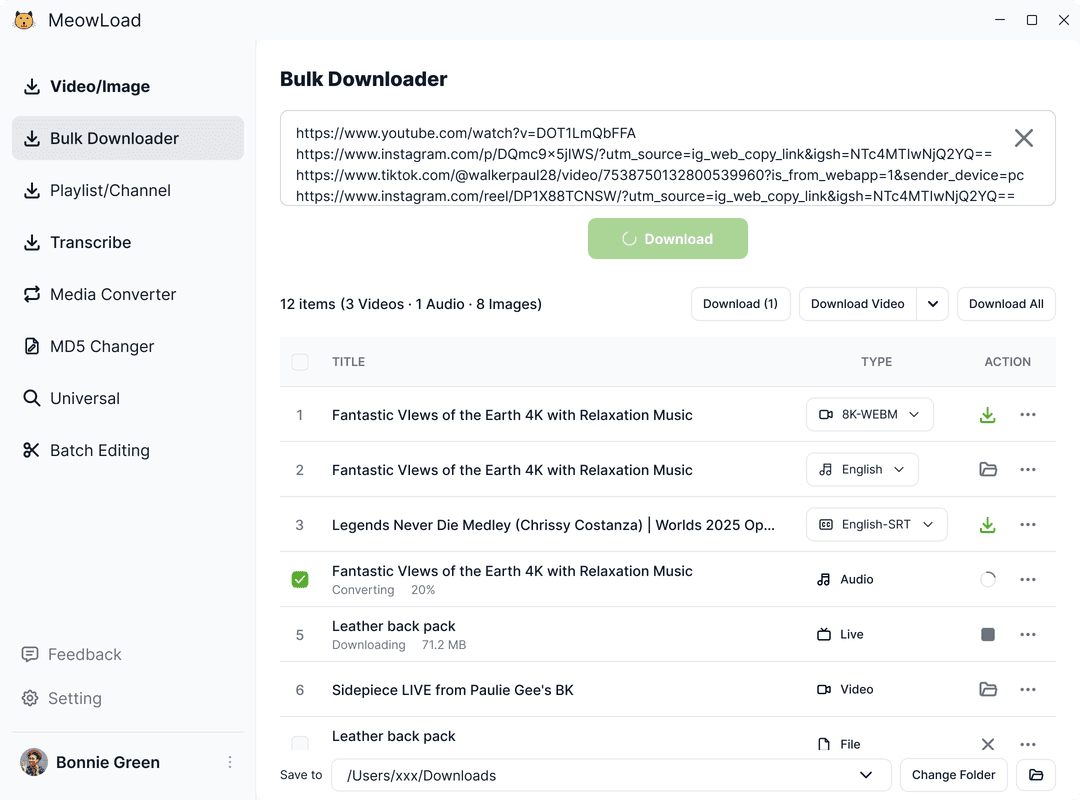
Paste links from multiple websites and download them all with one click — streamline your workflow and boost productivity.
Unlock full features with the desktop app
Enjoy batch downloads, universal resource detection, and advanced bulk editing for audio and video.
MoreSupports 1000+ websites
Download videos, images, and audio from over 1000 popular sites like YouTube, X, Instagram, TikTok, VKontakte, Facebook, Bilibili, and more.
Ultra-HD quality - up to 8K lossless
Automatically download the highest available resolution—8K, 4K, or 1080P. Ideal for professional editing, cinematic viewing, or any use where quality matters.
Playlist & channel bulk downloads
Download entire playlists, channels, or hashtag collections from YouTube, Instagram, Twitter, TikTok, Bilibili, and more—all in one click.
Universal media downloader
Easily detect and download audio or video from any webpage using the built-in browser. Automatically scans content and supports bulk downloads with no extra steps.
Frequently asked questions
Yes. Share links such as v.douyin.com or xhslink.com are followed through to their final address before extraction, so you do not have to open each one in a browser first to get the long form.
Every result carries its own source address, so you match them up by that. Even if the order you pasted and the order that comes back do not line up exactly, nothing gets confused.
They do not. Only results that actually come back are counted; the ones that fail are not. So a few dead links mixed into a batch will not cost you anything.
Most of the time, yes. A few platforms — Weibo and WeChat official accounts among them — protect their original addresses so that opening them straight from a browser fails; for those, the address you are given is one that downloads normally, so clicking still works.